Filmopixel

Submission standards

Submission guidelines that help your profile get reviewed faster.

Follow the Filmopixel checklist before you upload. Clear headshots, truthful profile details, and strong self-tape quality make it easier for the casting team to assess your submission quickly.

These rules cover both role-specific applications and general talent-pool submissions, so you can present the right materials from the first click.

Clear assets and honest details improve your first impression. Track updates later with your Talent ID.

First review Most profiles get only a few seconds to make the right impression.
Required assets Current photos, relevant performance clips, and accurate personal stats.
Submission routes Apply for a live role or enter the Filmopixel talent pool correctly.
First look 10 seconds to stand out
Core checklist What every submission should cover

Confirm your photos, self-tape, and profile details match the route you are choosing before you upload anything.

Use clear, current photos Include clean headshots and full-length images with good lighting and minimal editing.
Upload an audible self-tape Dialogue, expressions, and performance quality should be easy to review without distractions.
Keep profile details accurate Wrong age, measurements, contact data, or role fit can delay or disqualify the submission.
After upload Use your Talent ID to check status

Step 1: Personal Details & Stats

Choose Submission Type

Specific Role

Select this if you are responding to a specific casting call flyer. You must select the Project and Role from the dropdown menu.

General Talent Pool

Select this to enter our central database. We search this pool for future unannounced projects before posting public calls.

Vital Statistics

  • Name
    Use Legal Name
  • Age
    Accurate Date of Birth (Required)
  • Height
    Exact in Feet & Inches
  • Contact
    10-Digit Mobile (WhatsApp preferred)

Step 2: Resume & Experience Formatting

Do not write generic descriptions like "Good acting skills." Use the industry-standard formats below.

Theatre Credits Format

Play Name | Role Name | Director | Group | Year

Example: King Lear | Lear | S. Ray | Theatrewala | 2023

Screen Acting Format

Project Title | Role (Lead/Support) | Director | Year

Example: Pather Panchali | Apu | S. Ray | 1955

Special Skills (Be Specific)

Languages Bengali (Sylheti), Hindi, English (UK Accent)
Driving 2-Wheeler, 4-Wheeler (Valid License)
Arts/Athletics Guitar, Swimming, Classical Dance

Step 3: File Naming Rules

Rename Before Uploading

Files named IMG_8829.jpg or Screenshot_22.png get lost in our system. You must rename your files to match your name and the type of photo.

Required Format:

Name-Surname-Headshot/Midshot/Fullshot.jpg/jpeg

Incorrect IMG_001
Screenshot_22
Correct Rahul-Sharma-Headshot.jpg
Rahul-Sharma-Midshot.jpg
Rahul-Sharma-Fullshot.jpg

Step 4: Photo Guidelines

Format: .JPG / .JPEG Max Size: 3MB
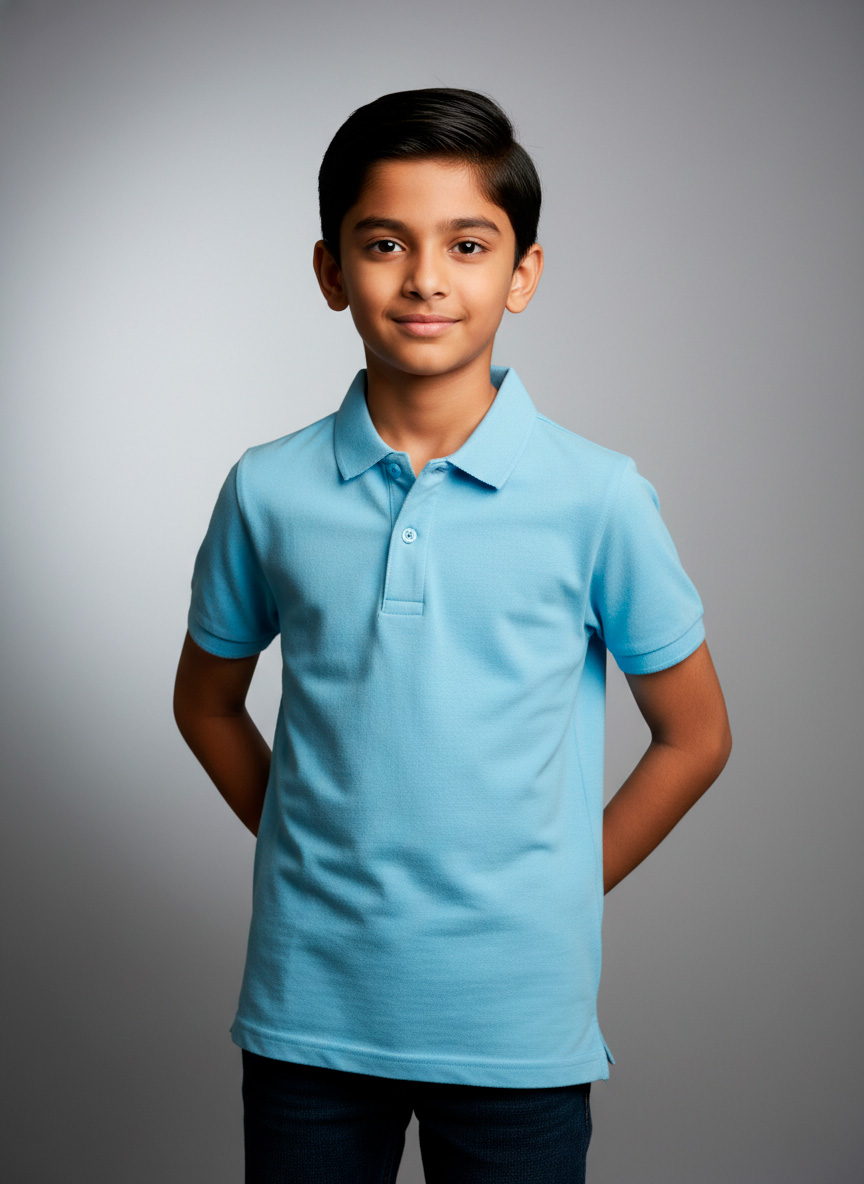
Headshot Example 1

Close Up / Headshot

Shoulders up. Face clearly visible. Neutral expression or light smile.
Mid Shot Example 2

Mid Shot

Waist up. Shows your build, arm length, and posture.
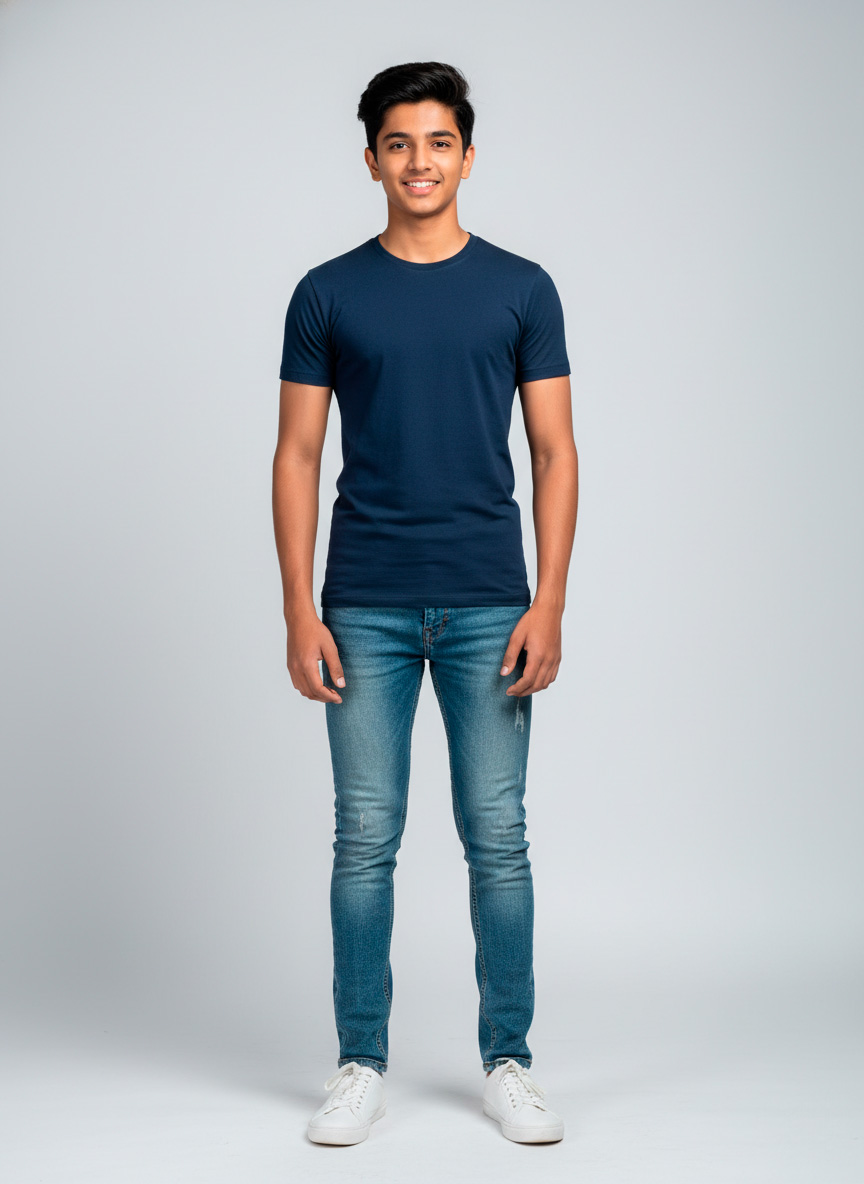
Full Body Example 3

Full Shot / Length

Head to toe. Wear form-fitting clothes (Jeans/Tee). No baggy attire.

ACCEPTED

  • Natural Light or Studio Light
  • Plain Background (Grey, White)
  • Minimal "No-makeup" look
  • Form-fitting clothes (Jeans/T-shirt)

REJECTED

  • Selfies (Arm visible) or Mirror shots
  • Filters (Snapchat, Instagram, Retouching)
  • Sunglasses, Hats, or Heavy Jewelry
  • Group photos or Far-away shots

Step 5: Intro Video / Self Tape

We do not accept raw video file uploads (No .mp4/.mov). You must upload your video to YouTube, Vimeo, or Google Drive and paste the link.

Recording the Intro (If you don't have a reel)

Orientation: Record Horizontally (Landscape). Never vertical.
Lighting: Stand facing a window or light source. Do not let the window be behind you (Silhouette effect).
The Script:
"Hi, my name is [Name]. I am [Height] tall. I am based in [City]. Here are my profiles." (Turn left, turn right, look at camera).
Open in Browser

Link Privacy Settings

Most common reason for rejection: We cannot open your link.

YouTube: Set to "Unlisted"
Drive: Set to "Anyone with link"

By proceeding to the application form, you acknowledge that you have read and understood these guidelines.

Proceed to Submission